Individually Wrapped Chocolate Image Dataset
– Overview
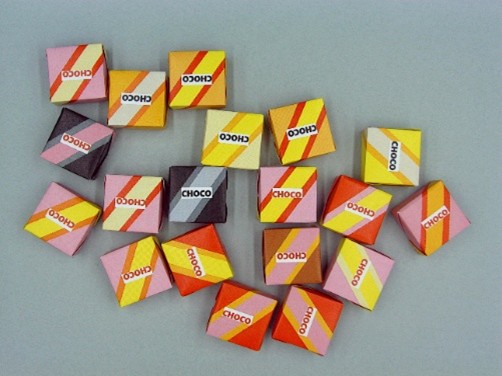
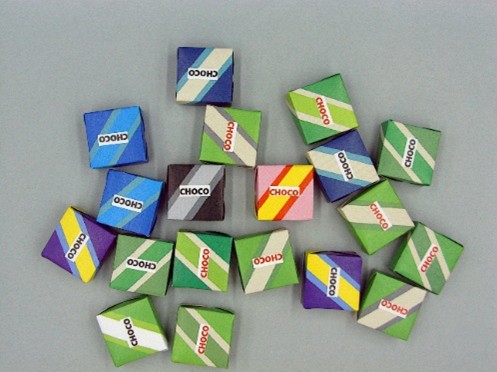
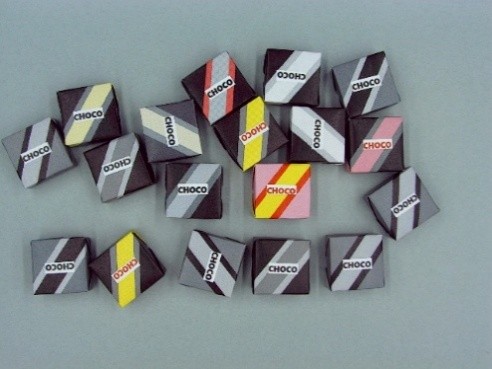
This dataset was created for the purpose of evaluating the performance of image matching algorithms. It consists of pairs of target object images and input images containing those targets. By using this dataset, it is possible to evaluate the robustness and discriminative capability of matching algorithms in situations where objects similar to the target are placed around it. As a basic usage guideline, all images are intended to be used as test data. The surrounding objects are categorized into three types: grayscale-based objects, warm-colored objects, and cool-colored objects.
When you use this dataset in publications such as conference papers or journal articles, please cite the following URL or reference.
URL:http://isl.sist.chukyo-u.ac.jp/archives/choco
<Reference> Rina Tagami,Hiroki Kobayashi,Shuichi Akizuki,Manabu Hashimoto,Reliable image matching using optimal combination of color and intensity information based on relationship with surrounding objects,IEICE Transactions,Vol.E107-D,No.10,pp.1312-1321,2024.
– Released Data
This dataset was constructed from images captured using an industrial camera (2592 x 1944 resolution, 3-color channels). The images were resized before being released: the target object images were resized to 83 x 83 pixels, and the input images were resized to 645 x 484 pixels using nearest-neighbor interpolation. All images are saved in PNG format. The positions of the target objects within each input image were manually annotated by the data collector.
– Download: Chocolate Image Dataset (1.06GB)[1][2]
■Target object image (2 images, 57KB)


■Input image (Warm-colored, 600 images, 355.9MB)
■Input image (Cool-colored, 600 images, 368.5MB)
■Input image (Grayscale-based, 600 images, 359.9MB)
– How to unzip file
Please replace
1. Combine the tar.gz parts
cat <dataset>_part_*.tar.gz > <dataset>.tar.gz
2. Extract the tar.gz file
tar -xvzf <dataset>.tar.gz
– Directory Structure
datasets
|--Red
|   |--template
|   |   |--001.png
|   |   |--002.png
|   |--input
|     |--001.png
|     |--002.png
|
|--Gray
|--Blue
The dataset includes three color-based categories: warm colors (Red), cool colors (Blue), and grayscale objects (Gray). Each category contains two directories: a target object directory (template) and an input directory (input), which store the corresponding images for each case.